
French'icitte
A language learning app designed around who you are, not just where you are starting from.
With a focus on Québec French and North American dialects.
scope
UX/UI
status
Ongoing
programmes


There's more
than one French
Teaching French, using language apps and managing my own language learning community taught me one thing: learners are being taught correct French, but not French that matched their real needs or contexts. The slow progress or lackthereof led to demotivation and it also made the learning process feel more like a task than a fun journey.
Research consistently shows that our environment shapes how we learn. That’s why your needs have to be met to be set up for learning and contextualised exposure is the most effective path to language acquisition. Travel is one way to create that environment, using the right tools at home are another.
Four profiles,
Four different worlds
Context-driven learning starts with knowing who the learner is. I identified four different profiles that later became the root of the personnalised learning paths included in the app.
Building a strong understanding of the learner came first so everything else could be built around that answer.
PROFILE 01
The student
Academic vocabulary, university life, written expression. French for the classroom and beyond.
PROFILE 02
The worker
Professional communication, meetings, emails, adapted to your industry field.
PROFILE 03
The traveller
Practical phrases for transport, restaurants, accommodation.
PROFILE 04
The curious one
Casual conversation, Québec culture, regional expressions — the French that makes you sound like you belong.
Every decision has a reason
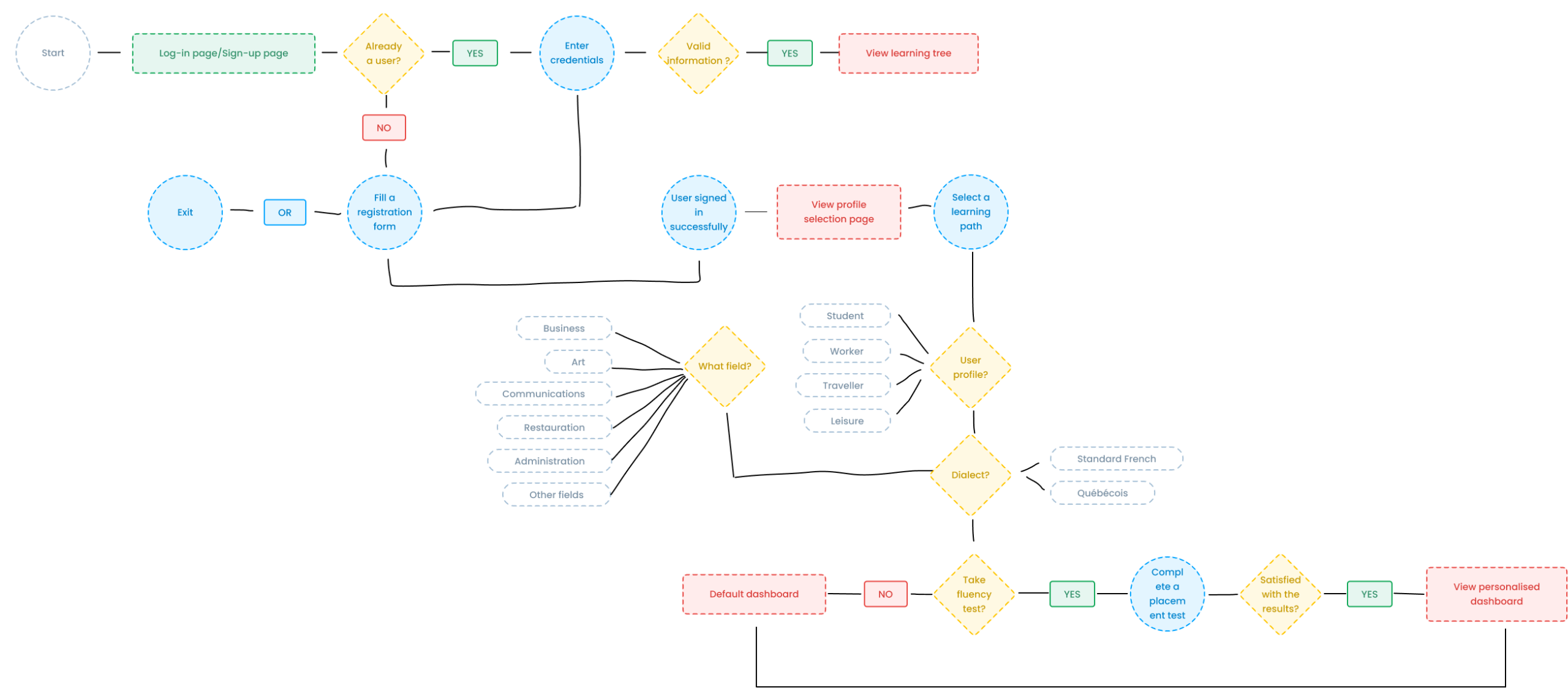
The onboarding was designed to gather exactly what the app needs, no more, no less.
-
The core - Path selection
Choosing a profile adjust the learning tree, the copy, the content on which emphasis is put to taylor it to the learner's specific needs.
-
Conditional field selection
If you opt for the professional path, you have to select your field. A marketing professional and a healthcare worker don't share the same vocabulary. This step only exists because it matters: the other three profiles skip it entirely.
-
Fluency test placed after profile selection
Most apps test your level first, then show you content. French'icitte does it the other way around: your fluency test is contextualised to the chosen path, so it measures the French you actually need, because a traveller's A2 is not necessarily a professional's A2.
Compare first,
choose second
Profile selection is the core decision that shapes the entire experience.
The interaction pattern reflects that weight:
you see all options simultaneously, then explore in depth before committing.
You are the learner, so you make the choices.
Step 1
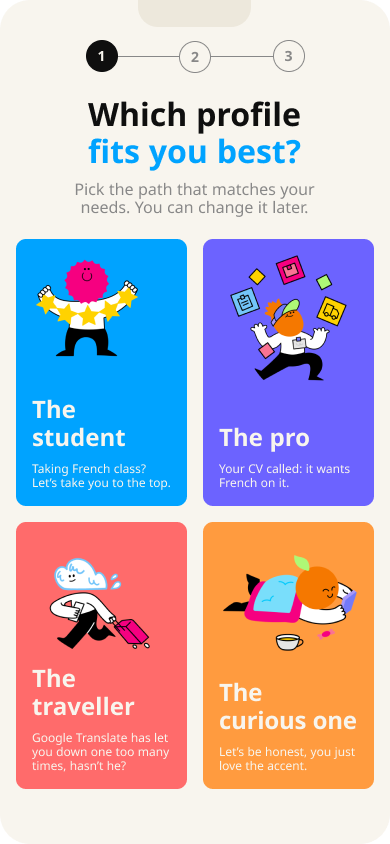
See all 4 profiles
All options visible at once. Users can compare descriptions and example sentences before tapping.
Step 2
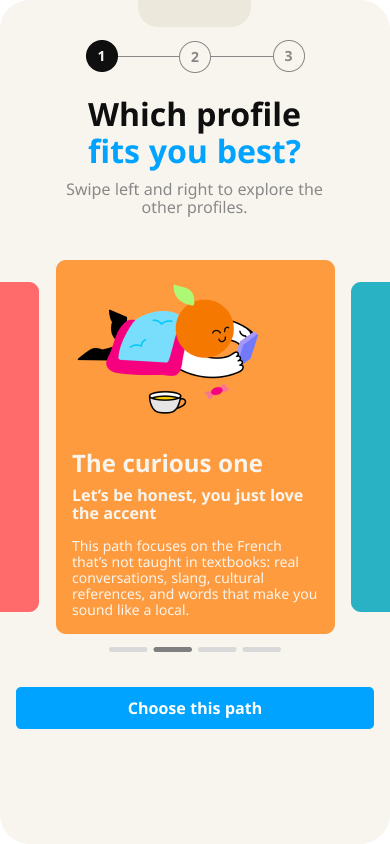
Explore by swiping
Selected card expands. Peek of adjacent cards invites swiping. Users can browse all profiles without going back.
Step 3
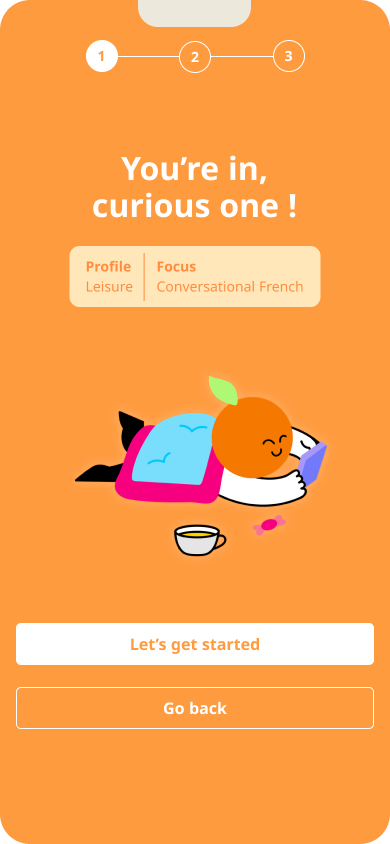
A moment of commitment
Brief confirmation before proceeding. Shows the chosen profile and what it means — closing the loop before the app starts adapting.
Built just for you
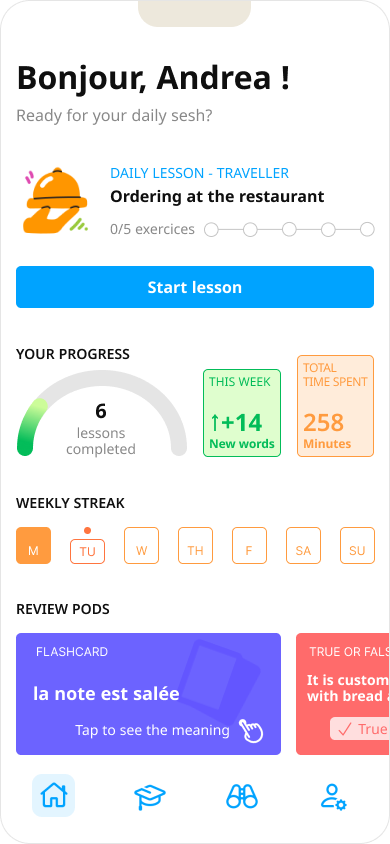
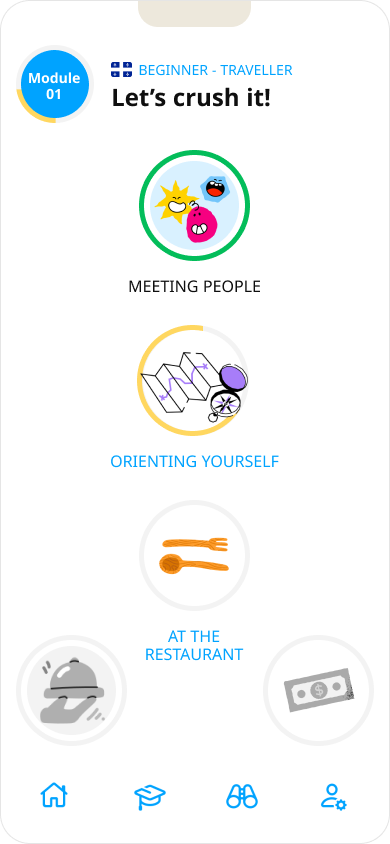
Every screen is profile-aware. The Dashboard displays differently depending on your day, the learning tree branches are organised differently depending on who you are, and exercises differ according to your path.
Dashboard
Learning tree
Exercise sample [COMING SOON]
What I learned
& what comes next
takeaway
What I have learnt
Designing for personalisation means making decisions at every level. It starts with onboarding, then consistent copy, exercise content, completion messages follow through. The system is only as strong as its least-personalised moment.
improvements
What I would revisit
The learning tree is rather basic and is not as engaging as the other tabs. I need to study what users would benefit from a broader or more specific set depending on their industry.
PROFILE 02
The next step
User testing the onboarding flow, specifically whether the grid-first, swipe pattern reduces drop-off compared to a single swipeable stack from the start. Then: the Explore tab for cultural content.